

 README

README




Pokemon CLI
poke-cli is a hybrid of a classic CLI and a modern TUI tool for viewing VG and TCG data about Pokémon!
View the documentation on the data infrastructure in card_data/ if you're interested.
Demo
Video Game Data

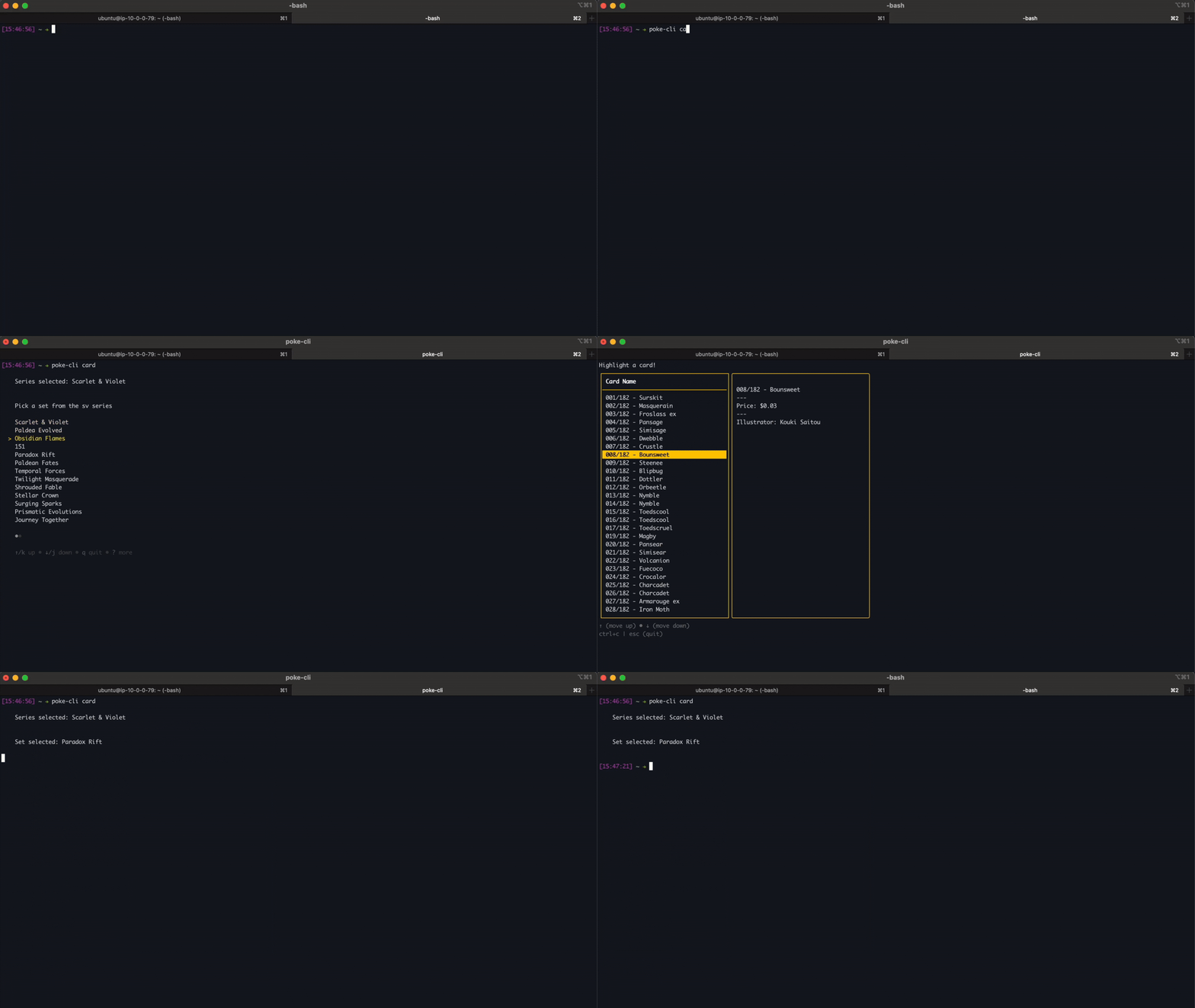
Trading Card Game Data
Installation
Homebrew
- Install the Cask:
brew install --cask digitalghost-dev/tap/poke-cli - Verify installation:
poke-cli -v
Scoop
-
Add the bucket:
scoop bucket add digitalghost https://github.com/digitalghost-dev/scoop-bucket.git -
Install poke-cli:
scoop install poke-cli -
Verify installation:
poke-cli -v
Linux Packages

This package repository is generously hosted by Cloudsmith. Cloudsmith is a fully cloud-based service that lets you easily create, store, and share packages in any format, anywhere.
- Run the Repository Setup script first for the correct Linux distribution.
- Run the corresponding Installation Command afterward.
| Package Type | Distributions | Repository Setup | Installation Command |
|---|---|---|---|
apk |
Alpine | sudo apk add --no-cache bash && curl -1sLf 'https://dl.cloudsmith.io/basic/digitalghost-dev/poke-cli/setup.alpine.sh' | sudo -E bash |
sudo apk add poke-cli --update-cache |
deb |
Ubuntu, Debian | curl -1sLf 'https://dl.cloudsmith.io/public/digitalghost-dev/poke-cli/setup.deb.sh' | sudo -E bash |
sudo apt-get install poke-cli |
rpm |
Fedora, CentOS, Red Hat, openSUSE | curl -1sLf 'https://dl.cloudsmith.io/public/digitalghost-dev/poke-cli/setup.rpm.sh' | sudo -E bash |
sudo yum install poke-cli |
Docker Image
- Install Docker Desktop.
- Once installed, use the command below to pull the image and run the container!
--rm: Automatically remove the container when it exits.- Optional.
-i: Interactive mode, keeps STDIN open for input.- Necessary.
-t: Allocates a terminal (TTY) for a terminal-like session.- Necessary.
- Choose how to interact with the container:
- Run a single command and exit:
docker run --rm -it digitalghostdev/poke-cli:v1.8.6 <command> [subcommand] [flag]- Enter the container and use its shell:
docker run --rm -it --name poke-cli --entrypoint /bin/sh digitalghostdev/poke-cli:v1.8.6 -c "cd /app && exec sh"
# placed into the /app directory, run the program with './poke-cli'
# example: ./poke-cli ability swift-swim
Binary
- Head to the releases page of the project.
- Choose a version to download. The latest is best.
- Choose an operating system and click on the matching zipped folder to start the download.
- Extract the folder. The tool is ready to use.
- Either change directories into the extracted folder or move the binary to a chosen directory.
- Run the tool!
[!IMPORTANT] For macOS, you may have to allow the executable to run as it is not signed. Head to System Settings > Privacy & Security > scroll down and allow executable to run.
View Image of Settings

Example usage
# Windows
.\poke-cli.exe pokemon charizard --types --abilities

# Unix
.\poke-cli ability airlock --pokemon
Source
- Run the following command:
go install github.com/digitalghost-dev/poke-cli@latest - The tool should be ready to use if
$PATHis set up.
Usage
By running poke-cli [-h | --help], it'll display information on how to use the tool or check out the docs!
╭───────────────────────────────────────────────────────────────╮
│Welcome! This tool displays data related to Pokémon!           │
│                                                               │
│ USAGE:                                                        │
│    poke-cli [flag]                                            │
│    poke-cli <command> [flag]                                  │
│    poke-cli <command> <subcommand> [flag]                     │
│                                                               │
│ FLAGS:                                                        │
│    -h, --help      Shows the help menu                        │
│    -l, --latest    Prints the latest version available        │
│    -v, --version   Prints the current version                 │
│                                                               │
│ COMMANDS:                                                     │
│    ability         Get details about an ability               │
│    berry           Get details about a berry                  │
│    card            Get details about a TCG card               │
│    item            Get details about an item                  │
│    move            Get details about a move                   │
│    natures         Get details about all natures              │
│    pokemon         Get details about a Pokémon                │
│    search          Search for a resource                      │
│    speed           Calculate the speed of a Pokémon in battle │
│    types           Get details about a typing                 │
│                                                               │
│ hint: when calling a resource with a space, use a hyphen      │
│ example: poke-cli ability strong-jaw                          │
│ example: poke-cli pokemon flutter-mane                        │
│                                                               │
│ ↓ ctrl/cmd + click for docs/guides                            │
│ docs.poke-cli.com                                             │
╰───────────────────────────────────────────────────────────────╯
Roadmap
Below is a list of the planned/completed commands and flags:
-
ability: get data about an ability.-
-p | --pokemon: display Pokémon that learn this ability.
-
-
berry: get data about a berry. -
card: get data about a TCG card.- add mega evolution data
- add scarlet & violet data
- add sword & shield data
- add sun & moon data
- add x & y data
-
item: get data about an item. -
move: get data about a move.-
-p | --pokemon: display Pokémon that learn this move.
-
-
natures: get data about natures. -
pokemon: get data about a Pokémon.-
-a | --abilities: display the Pokémon's abilities. -
-d | --defense: display the Pokémon's type defences. -
-i | --image: display a pixel image of the Pokémon. -
-s | --stats: display the Pokémon's base stats. -
-m | --moves: display learnable moves.
-
-
search: search for a resource-
ability -
berry -
item -
move -
pokemon
-
-
speed: compare speed stats between two Pokémon. -
types: get data about a specific typing.
Tested Terminals
| Terminal | OS | Status | Issues |
|---|---|---|---|
| Alacritty | macOS, Ubuntu, Windows |
🟡 | - Does not support sixel for TCG images. |
| Ghostty | macOS | 🟡 | - Does not support sixel for TCG images. |
| HyperJS | macOS | 🟡 | - Does not support sixel for TCG images. |
| iTerm2 | macOS | 🟢 | - None |
| Built-in Terminal | Ubuntu, Debian, Fedora |
🟡 | - Does not support sixel for TCG images. |
| Built-in Terminal | Alpine | 🟡 | - Some colors aren't supported. - pokemon <name> --image=xx flag pixel issues. |
| Built-in Terminal | macOS | 🟠 | - Does not support sixel for TCG images. - pokemon <name> --image=xx flag pixel issues. |
| Foot | Ubuntu | 🟢 | - None |
| Tabby | Ubuntu | 🟢 | - None |
| WezTerm | macOS, Windows | 🟡 | - Windows version has issues with displaying TCG images. |
| Built-in Terminal | Windows | 🟢 | - None |
 Documentation

Documentation


There is no documentation for this package.
 Source Files
 Directories